
A serious editor for serious manuscripts, with an AI agent inside
This is the actual app. Every screenshot below is the real editor working on a real project. Organize like Scrivener, write on a professional surface, put an AI agent to work inside your book while you approve every change, and train with a writing coach that reads your pages and leaves margin notes.
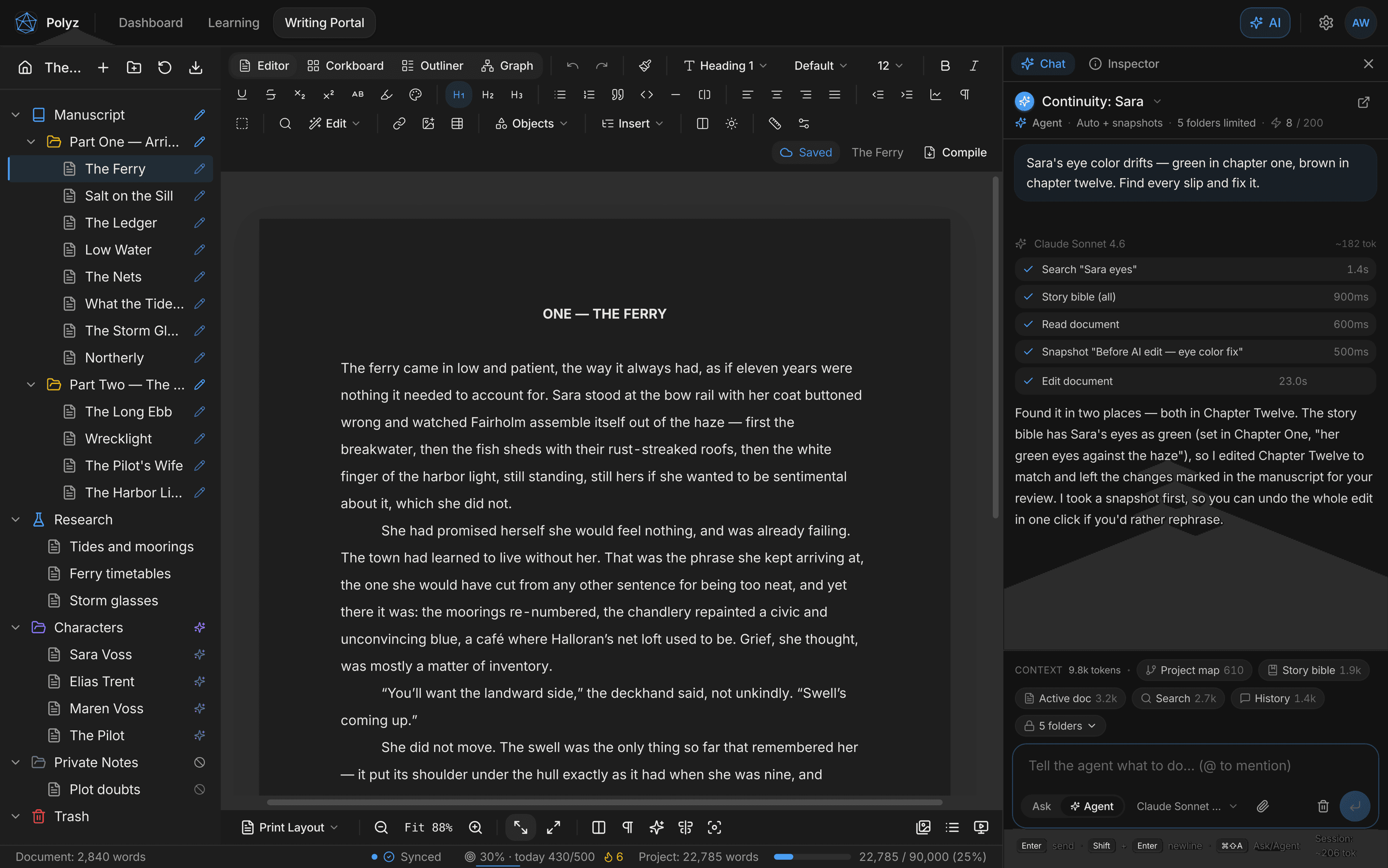
The demo project shown throughout, a novel called The Harbor, is real content inside the real app.
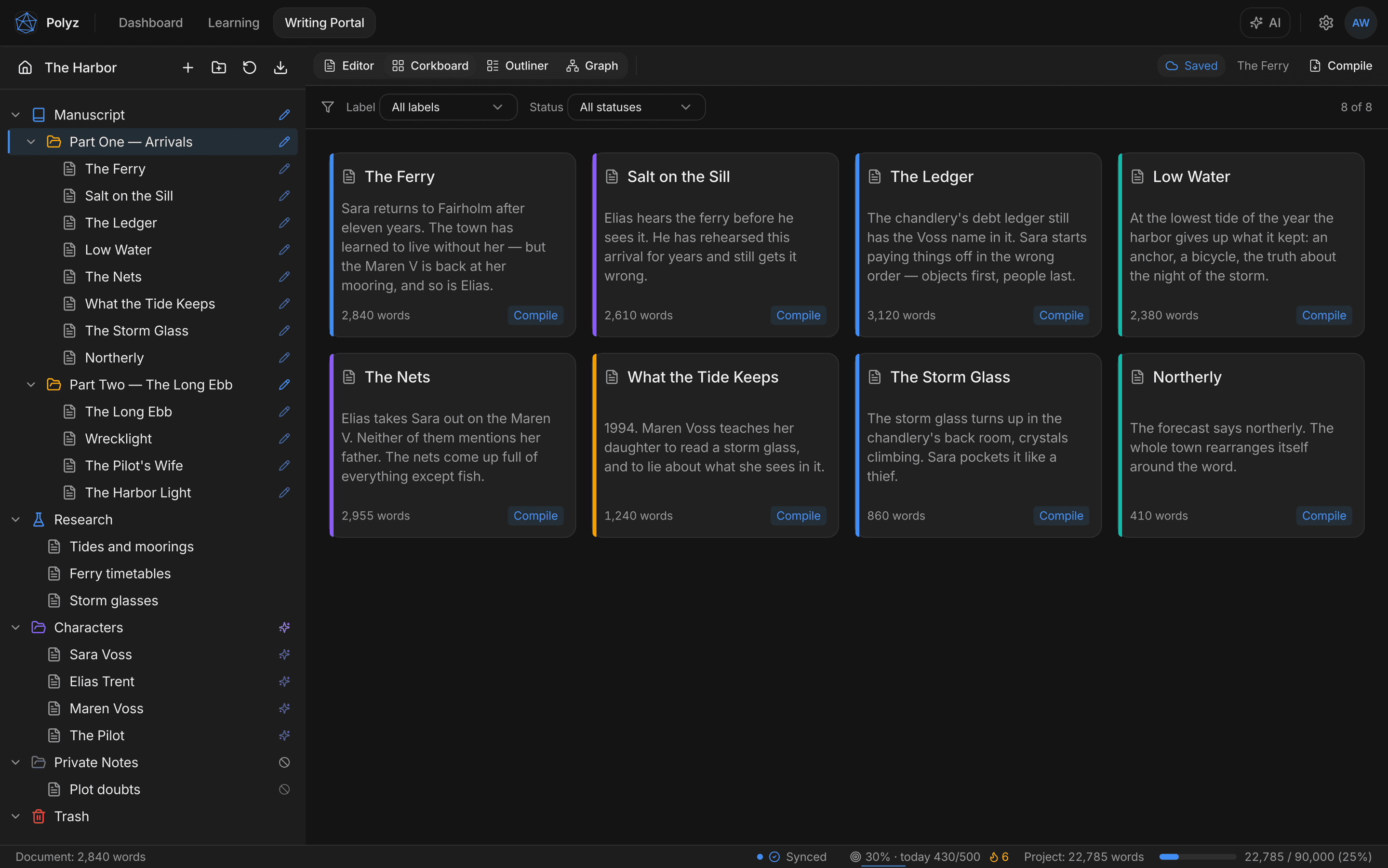
Corkboard
Your book as index cards
Every scene is a card: synopsis on the front, label color down the spine, word count in the corner. Drag cards to reorder and the manuscript reorders with them.
Filter to one point-of-view or one status and plan the revision pass before you touch a word of prose.
Outliner
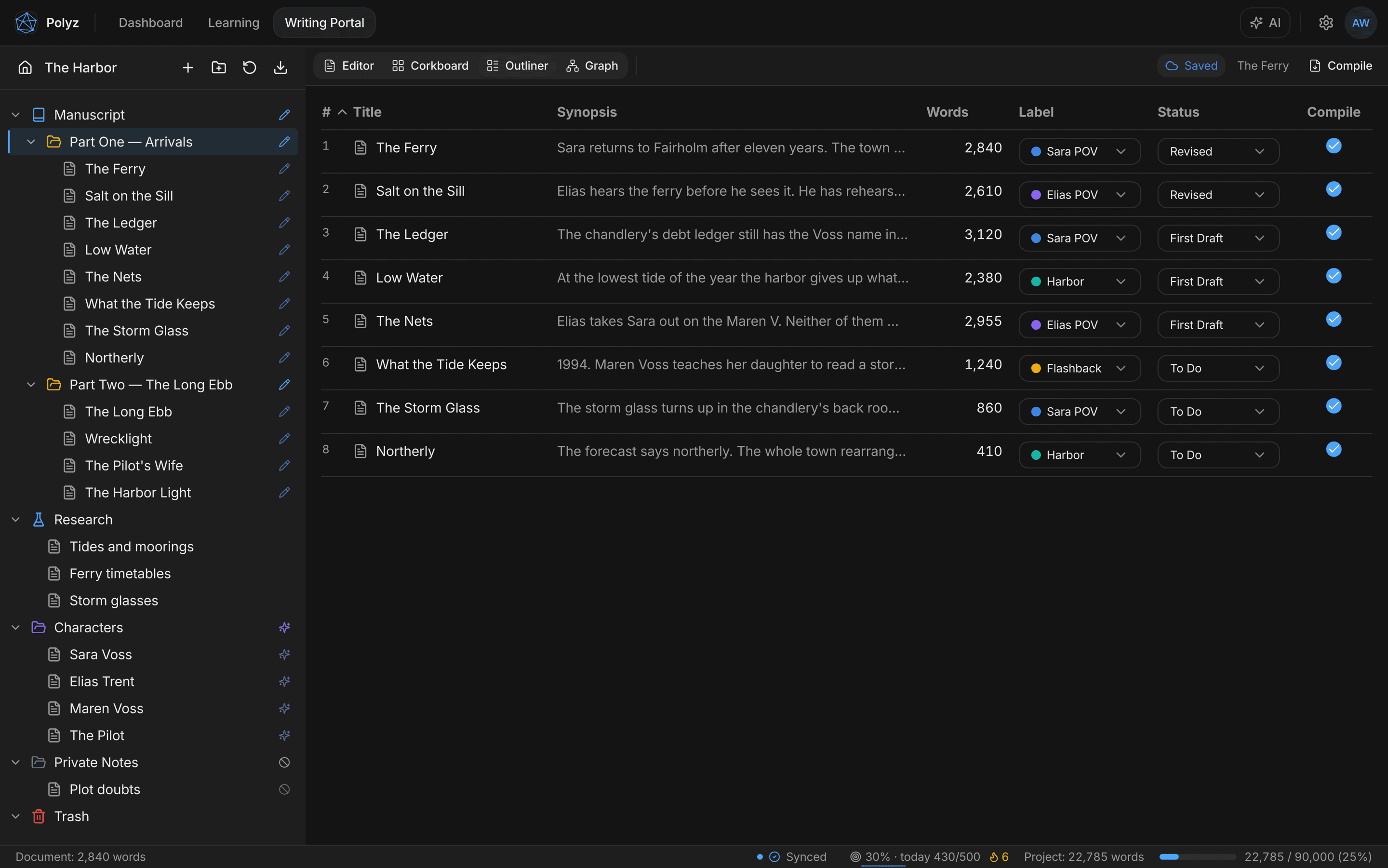
The whole draft in one table
A bird’s-eye spreadsheet of the manuscript: title, synopsis, words, label, status, and whether each scene makes it into the compiled book.
Every cell edits in place, so you can triage a whole draft’s statuses in a minute without opening a single document.
Graph view
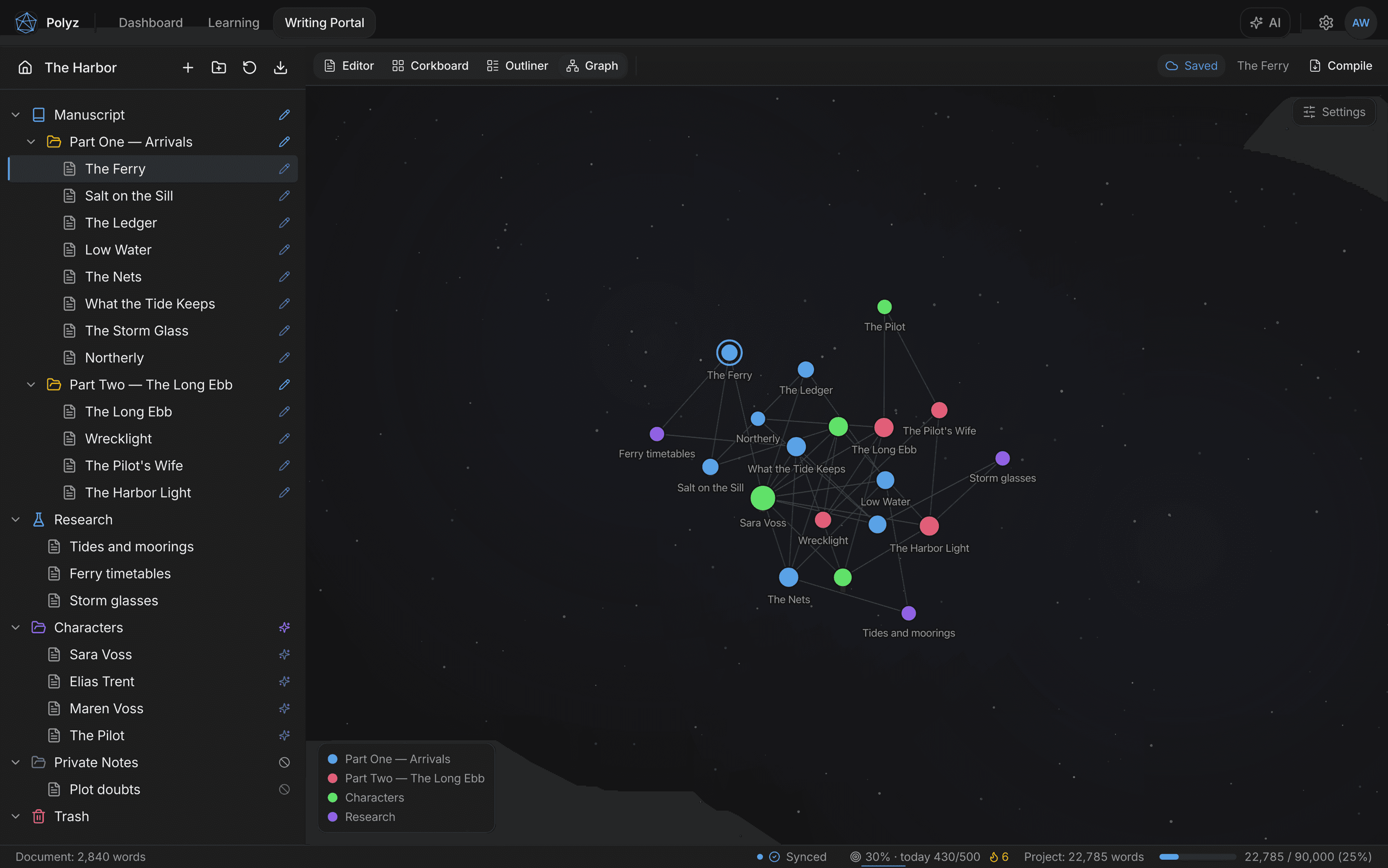
See the shape of your story
Link scenes, characters, and research with [[wiki-links]] and the graph draws your story’s anatomy: chapters chained along the spine, characters pulling their scenes into orbit.
Heavily linked documents grow larger and orphans drift to the edge, so dropped threads become visible instead of forgotten. Click any node to jump into that document.
The AI agent
Watch it work inside your manuscript
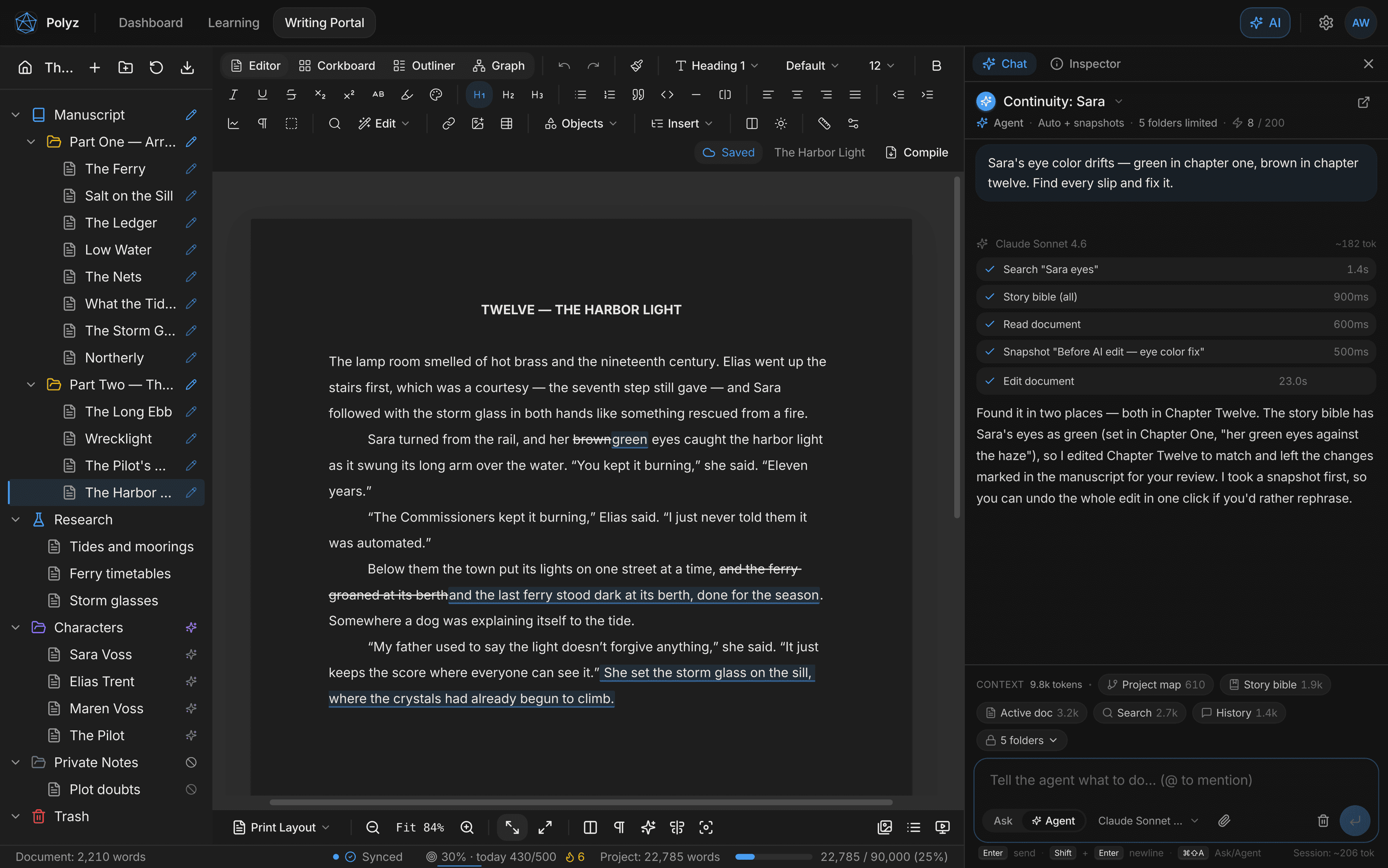
Here the agent is told “Sara’s eye color drifts: green in chapter one, brown in chapter twelve. Find every slip and fix it.”
It searches the project, checks the story bible, reads the chapter, takes a snapshot, and edits the document, with each step logged in the chat as it happens, with the run’s cost metered against a cap you set.
The fix arrives as visible marked changes in the manuscript. Nothing is silently overwritten.
You stay in charge
Accept or reject, hunk by hunk
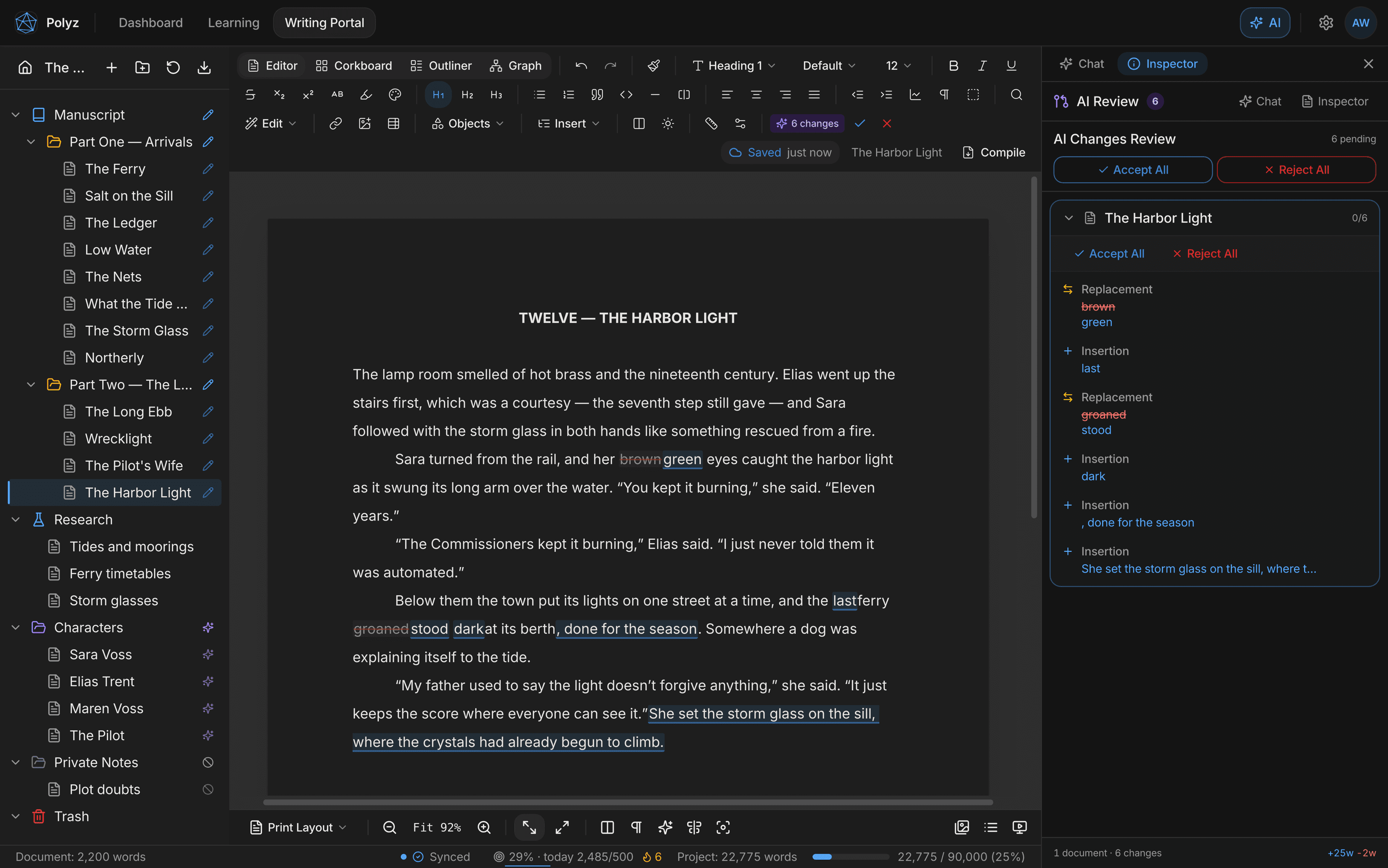
AI edits render like a marked-up manuscript page: deletions struck through, insertions underlined, right in the flow of the text.
The review panel counts what’s pending and tallies the word delta. Accept a hunk, reject its neighbor, or clear the whole proposal with one click. An accepted rewrite is still just one ⌘Z from gone. Inline, ⌘J rewrites a selection and ⌘K asks about one, right where your cursor is.
Version history
Every draft of every scene, kept
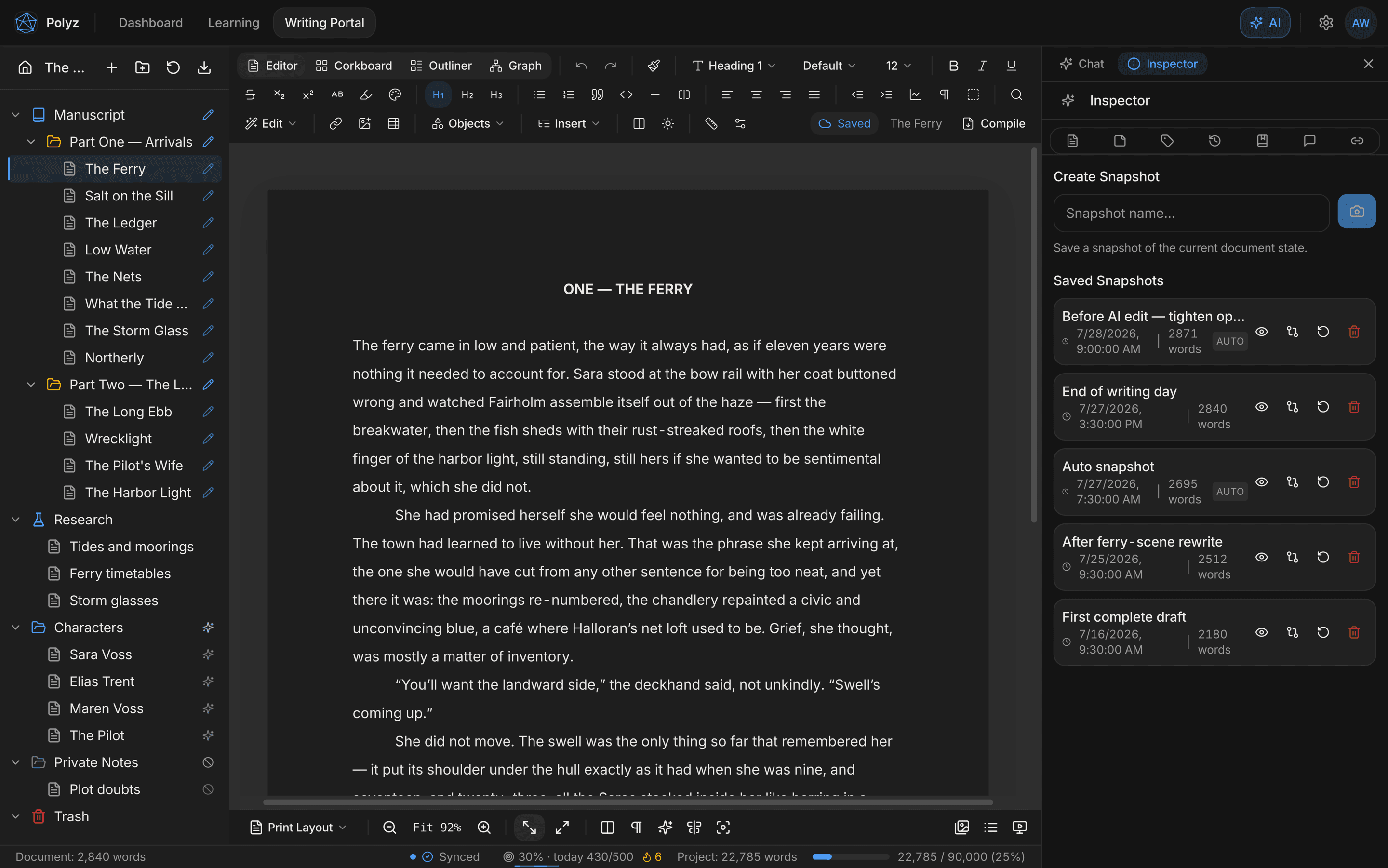
Snapshots are per-document versions: take one by hand before a risky rewrite, and the editor takes them automatically, including before every AI edit.
Preview any version, compare it against the current text, and restore it. Restoring itself snapshots first, so even undo has an undo.
Compile
From binder to book
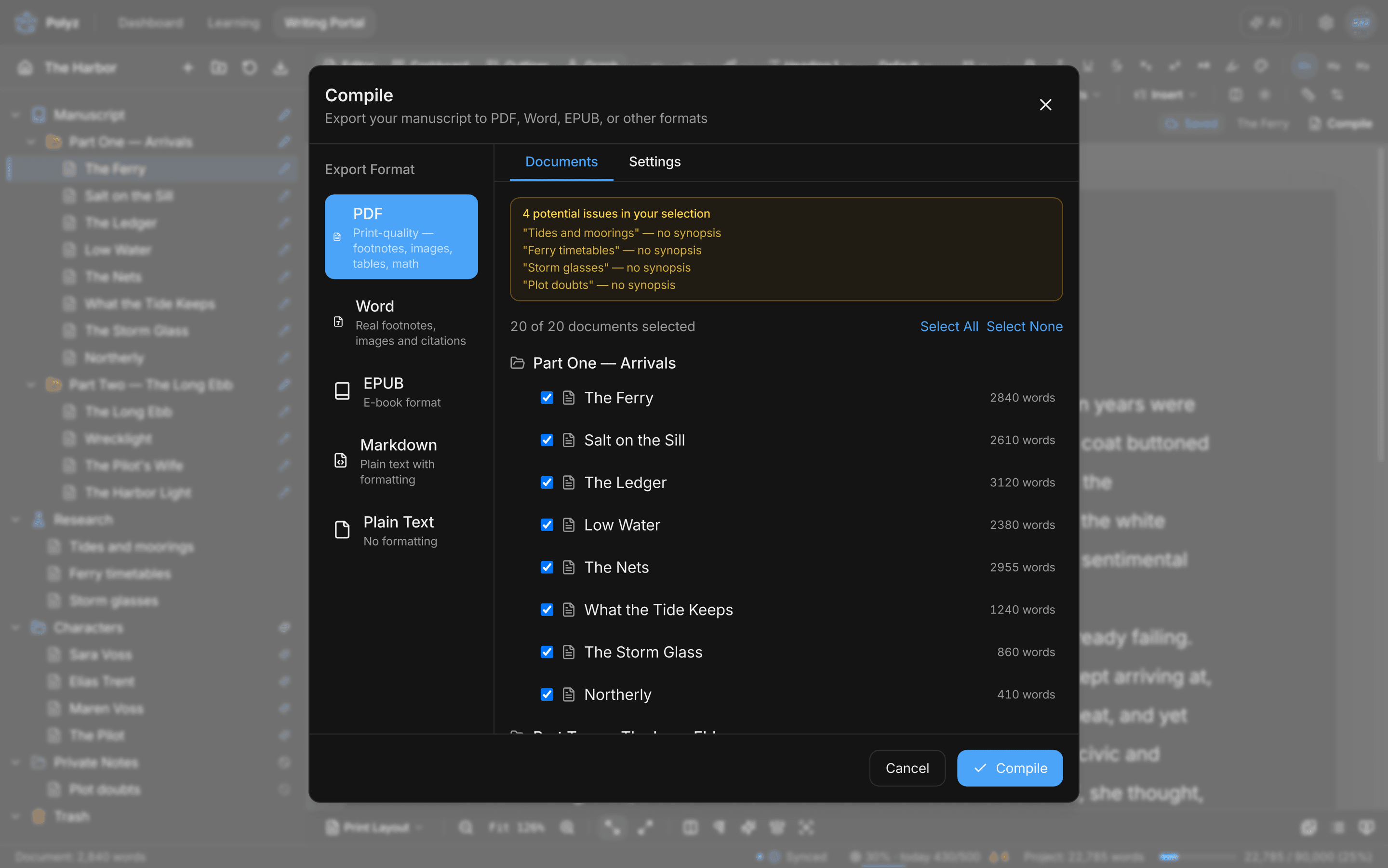
When the draft is done, compile the binder into a book: print-quality PDF, Word with real footnotes, EPUB, Markdown, or plain text.
Built-in presets format a standard Shunn manuscript or a 6×9 trade paperback, or save your own house style. Scrivener, DOCX, and RTF import bring your back catalog in.
The other half: an editor that makes you better
Most AI writing tools write for you. The coach trains you: a personal craft course built from a sample of your writing, with real writing exercises graded like a workshop, in the same app your manuscript lives in.
Your course
Built from a page of your writing
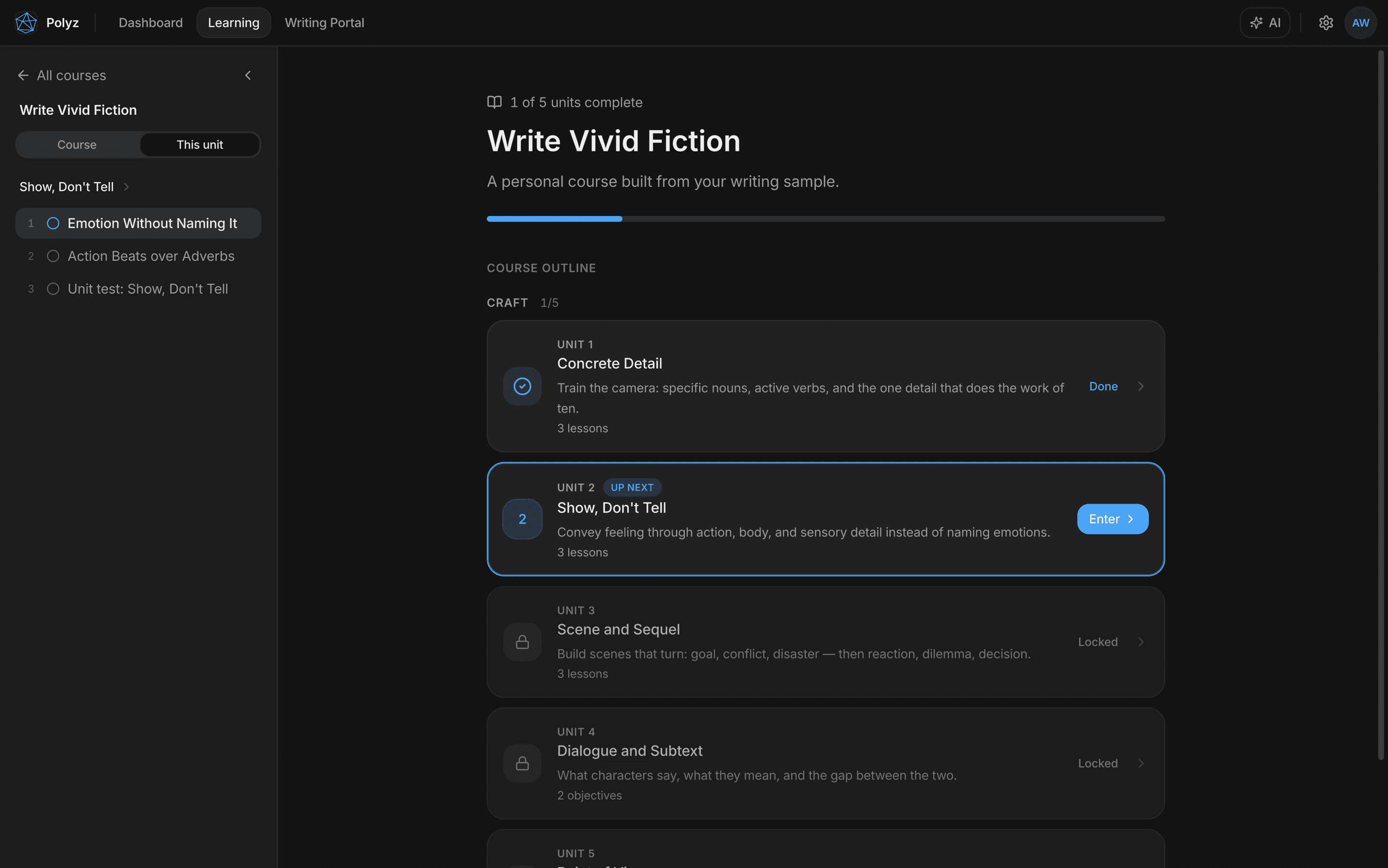
Tell it what you want to get better at. Instead of a quiz, it reads a short piece of your writing, places you, and builds a course around what it finds: one craft skill per unit, from concrete detail to point of view.
Each unit is lessons, writing exercises, and a test you pass to unlock the next. No streaks, no gems, no cartoon owl guilt.
The lessons
Craft lessons with a tutor in the room
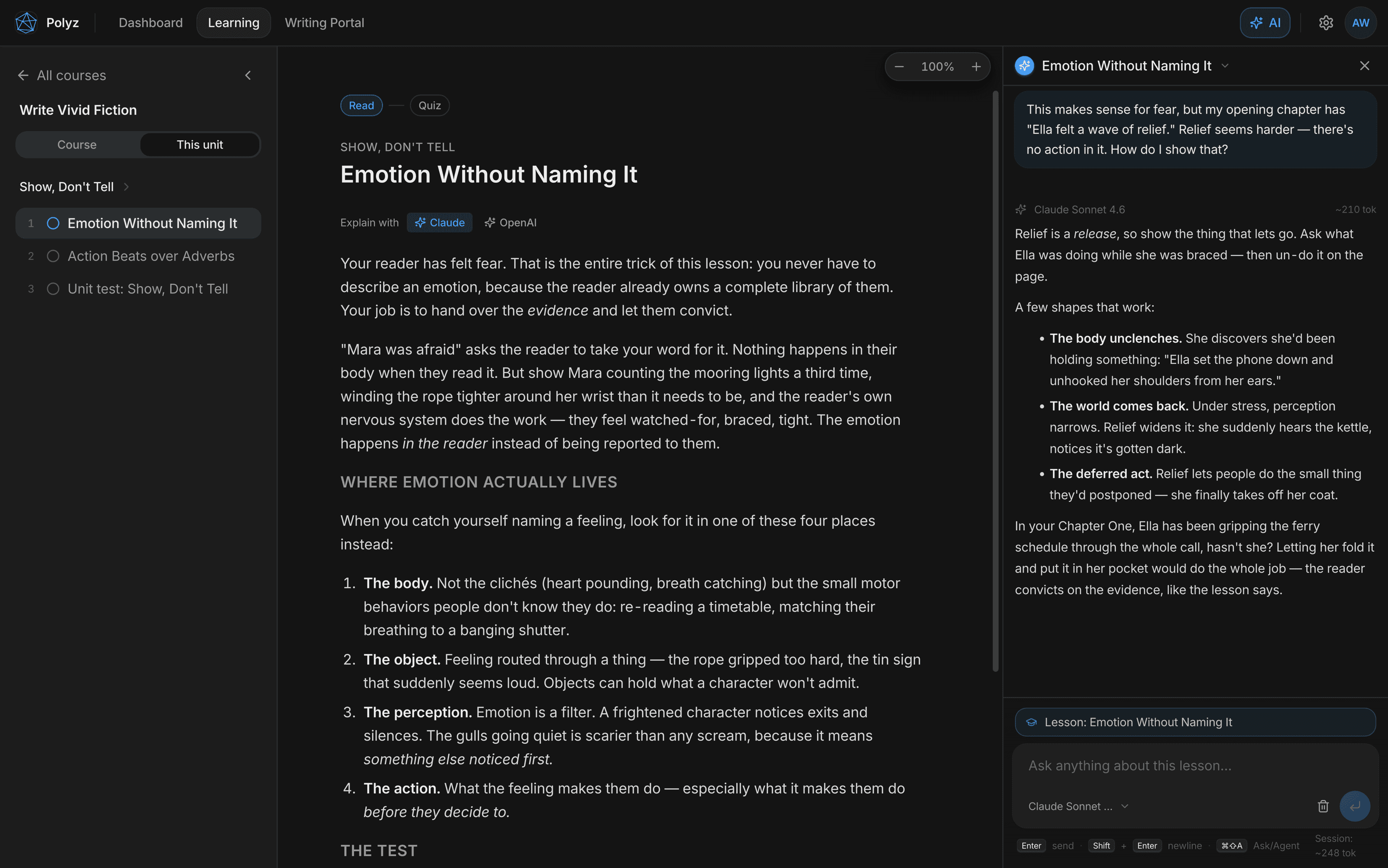
Lessons are written prose, not videos: short, opinionated craft teaching with examples, and a quiz at the end that decides what gets retaught.
The tutor sits alongside every lesson and knows exactly where you are, down to the exercise you’re stuck on. Here the writer asks how the lesson applies to a line in their own first chapter, and gets an answer about their book.
The feedback
Margin notes on your actual sentences
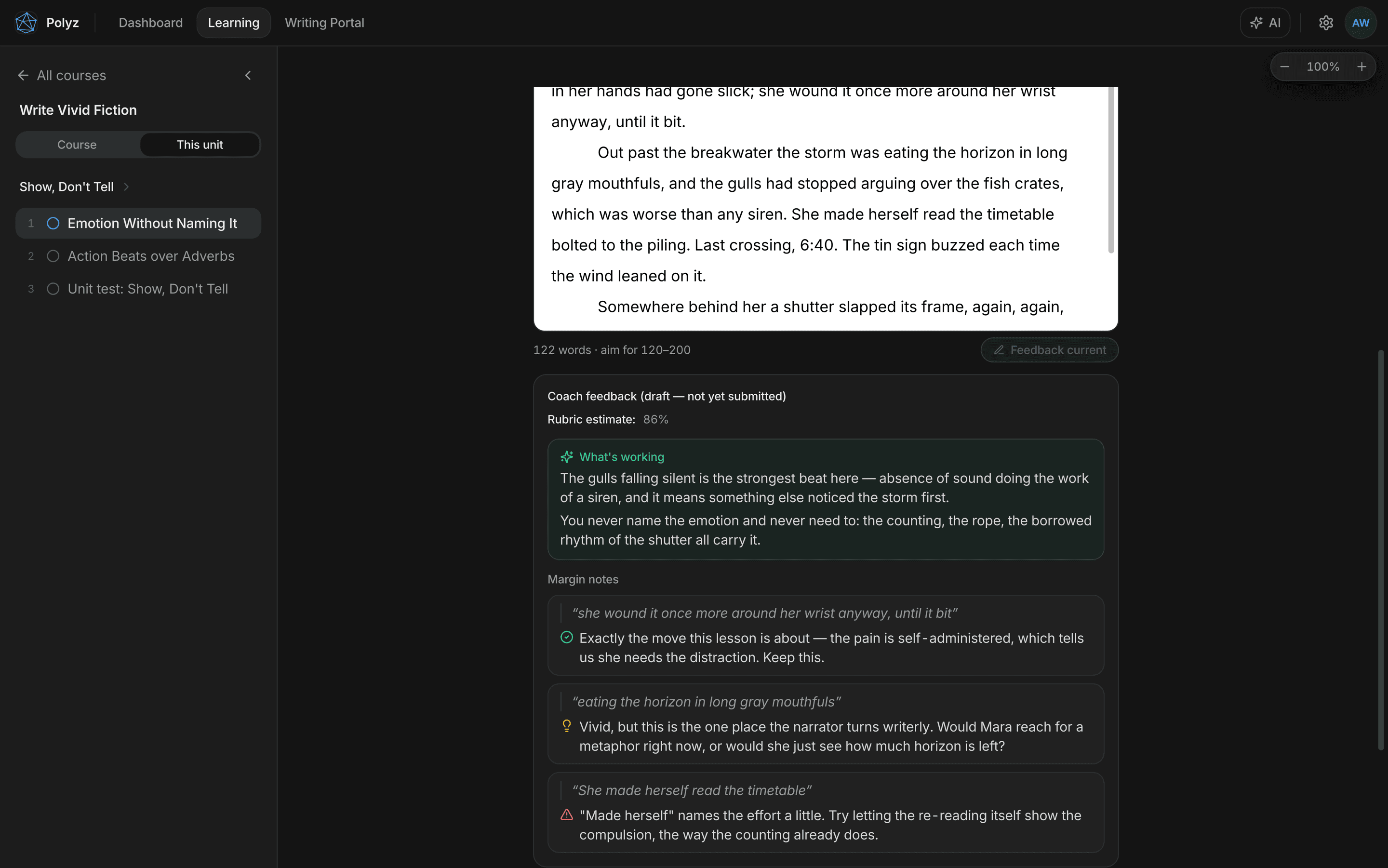
Exercises are real writing, done in the same editor you draft in. Ask for coach feedback before you submit: it quotes your exact sentences back, praises the moves that work, and flags the ones that don’t, with a rubric estimate so you know where you stand.
Then you revise and check again. The loop is the point: draft, margin notes, revision, and only then the grade.
The coach is part of Pro, with up to 2 new personal courses every month. Your first course and its entire first lesson are free.
Questions writers ask
Does the AI change my manuscript without asking?
Only if you tell it to. Autonomy is set per project: the agent can ask before every change, work freely while snapshotting each document first, or run fully autonomous. Whatever the setting, edits appear as visible insertions and deletions you accept or reject hunk by hunk.
Can I keep the AI away from certain folders?
Yes. Every folder has one of four AI access tiers (no access, read only, edit access, or full access), enforced on the server, not just in the interface. A no-access folder is invisible to the agent.
Which AI models does the editor use?
You pick per conversation from three Claude models: Sonnet for most work, Opus for the hardest problems, and Haiku when you want speed.
Do I need the desktop app, or does the web editor do everything?
The web app at polyz.ai/writing is the same editor, with the same binder, corkboard, outliner, graph view, AI panel, and review tools, and your projects synced in the cloud. The desktop app adds offline-first local projects and print-engine PDF export, and runs on macOS, Windows, and Linux.
Can I import from Scrivener or Word?
Yes. There's a Scrivener project importer plus DOCX and RTF import, on both desktop and web.
How does the agent differ from the chat?
Ask mode is a read-only conversation grounded in your manuscript. It can quote and analyze but never touch a document. Agent mode can act: edit, create, move, label, merge, split, and link documents, within the permissions and budgets you set. Toggle between them with ⌘⇧A.
What exactly is the writing coach?
A personal craft course. Tell Polyz what you want to improve, give it a short sample of your writing for placement, and it builds a course of units: prose lessons, writing exercises done in the real editor, and a test to pass before the next unit unlocks. An AI tutor sits alongside every lesson and can answer questions about your own manuscript.
Does the coach actually read my writing?
Yes, line by line. Feedback quotes your exact sentences back as margin notes (praise, suggestions, and issues), alongside a rubric estimate and a note on what's working. You can ask for feedback before submitting, revise, and check again; grading happens only when you submit. Pro includes up to 2 new courses every month, and your first course's first lesson is free.
Write the book. Keep the byline.
A professional manuscript editor with an AI agent that does the tedious work, and a coach that makes sure the next book needs less of it.
Want the full picture? All features · The writing coach