
Everything You Need to Write and Improve
Three connected systems: a manuscript editor built for long-form work, an AI agent that works inside your book, and a coach that makes you better at writing it. Available on macOS, Windows, Linux, and in your browser.
A manuscript editor, not a text box
A novel isn't one long document. Break it into scenes, see it from every altitude, and rearrange it without copy-paste surgery.
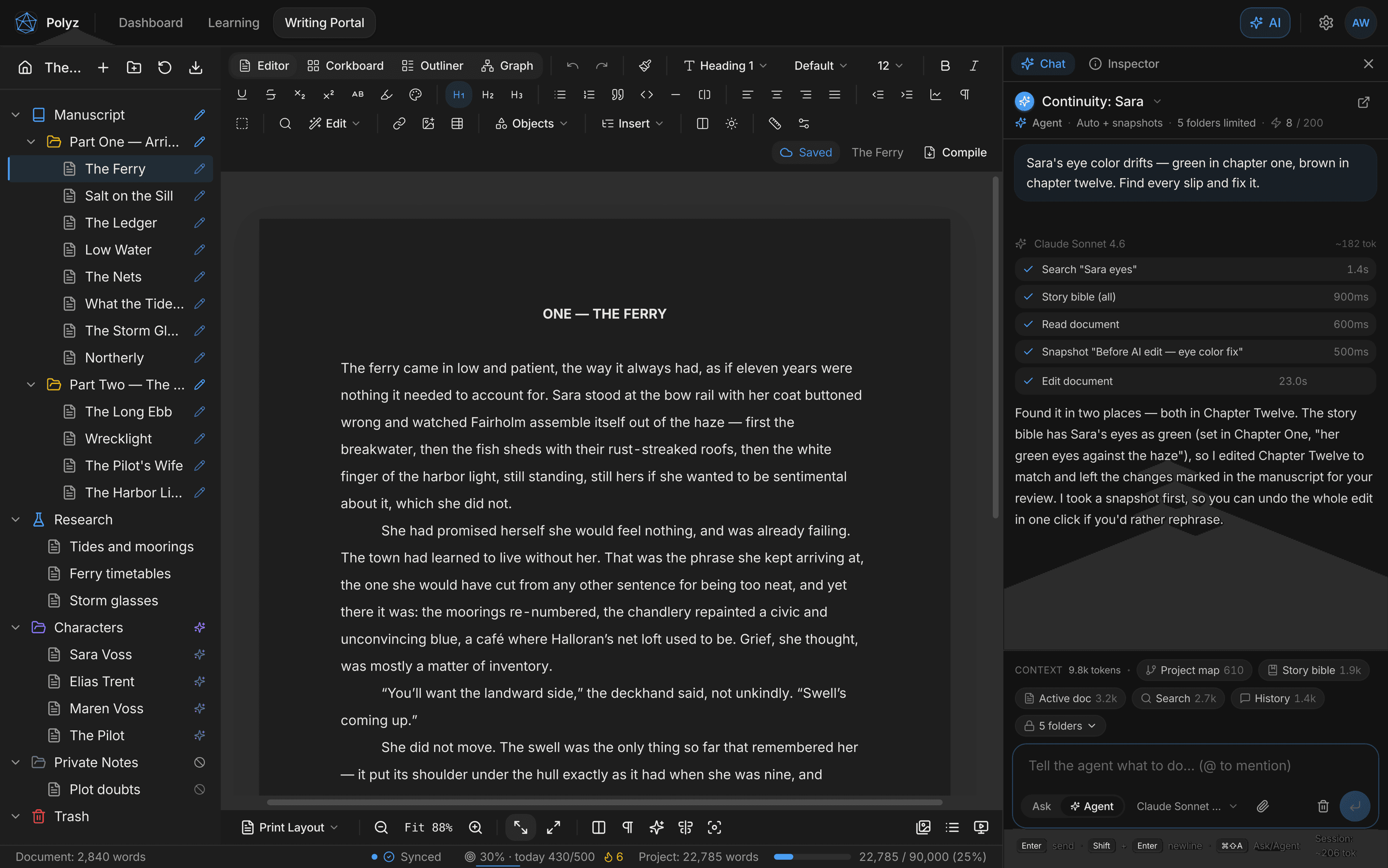
Binder
Your whole book as a tree of chapters, scenes, research, and notes. Drag to restructure and the manuscript follows.
Corkboard & Outliner
Every scene as an index card, or as a spreadsheet row. Reorder, retitle, and set labels and statuses in place.
Graph view
A force-directed map of how your documents link together. Heavily linked scenes grow; dropped threads drift to the edge.
A real manuscript surface
Auto-numbered footnotes and endnotes, citations and bibliography, comments, LaTeX math, tables, images, named styles, and formatting marks.
Wiki-links & backlinks
Connect scenes and notes with [[double brackets]], and see every mention of the open document, linked or not.
Split view, focus & typewriter
Draft against your outline in a second pane, or go full-screen with paragraph focus and a centered typewriter line.
Snapshots & backup
Manual and automatic per-document versions with compare and one-click restore, plus project backup and crash recovery.
Compile & export
PDF, DOCX with real Word footnotes, EPUB, Markdown, and TXT, with Shunn manuscript and 6×9 trade paperback presets built in.
Import your back catalog
Bring in Scrivener projects, Word documents, and RTF files. Structure and formatting come along.
An agent that works in your manuscript
Most AI writing tools hand you text to paste in. This one opens your book and does the work where it lives, searching your scenes, editing in place, and showing you every change before it counts.
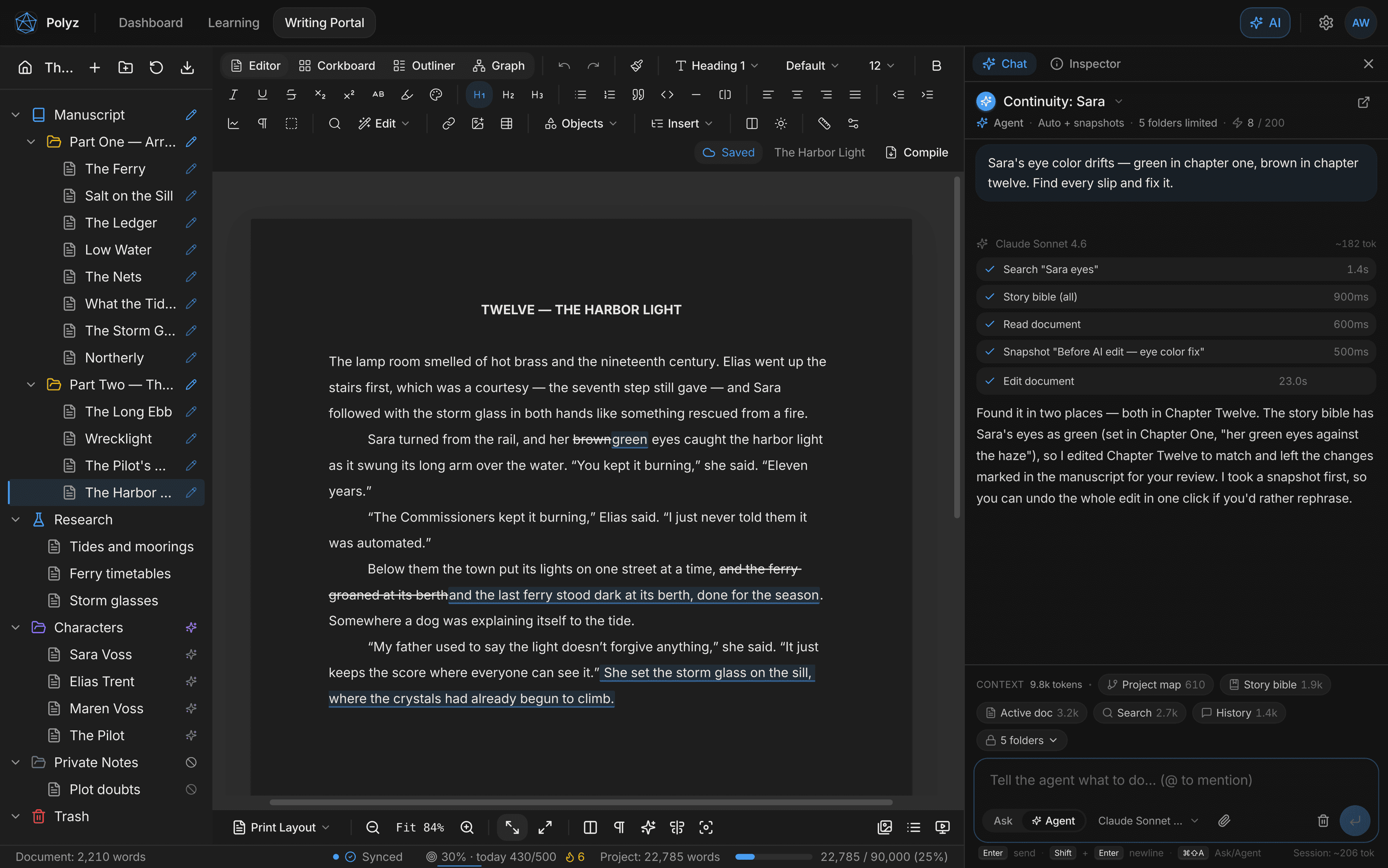
An agent that edits in place
Ask in plain language. It searches the project, reads the relevant chapters, and edits documents. It creates, moves, merges, splits, and labels them as needed.
Hunk-by-hunk review
AI edits arrive as visible insertions and deletions in the manuscript. Accept or reject each one, or clear the whole proposal.
Per-folder AI permissions
Four access tiers per folder (no access, read only, edit, full), enforced on the server. A no-access folder is invisible to the agent.
A snapshot before every edit
The agent versions a document before it touches it, and every run carries a hard edit budget and a cost cap you set.
Inline rewrite and ask
⌘J rewrites a selection in place, and one ⌘Z undoes it. ⌘K asks about a passage without leaving the page. Ghost text is there too, off by default.
Manuscript-aware chat
Ask questions about your book with characters, locations, facts, and specific documents pulled in via @-mentions.
Story bible
Characters, locations, facts, and timeline. Extracted from your manuscript on demand, editable by you, and read by the AI so its suggestions match your world.
Context you control
Every conversation shows exactly what the AI can see, section by section, with live token counts. It also remembers your preferences across projects.
Project-wide search
Full-text search across every document with regex, case-sensitive, and whole-word modes. Find passages in milliseconds.
You choose the model per conversation: Claude Sonnet for most work, Opus for the hardest problems, Haiku for speed. Agent editing runs on cloud-synced projects.
Watch the agent workThe part that makes you better
Most writing tools generate prose for you. This one is built to improve the writer, with a structured coaching system that evaluates your craft one skill at a time.
Diagnostic assessment
Write a short piece, receive evaluation across 13 skill categories. Know exactly where you stand.
Adaptive lesson plans
A 30-unit curriculum that targets your weakest skills first. Every plan is personalized.
Structured lessons
Each unit teaches a specific craft skill with examples from published fiction.
Graded exercises
Write exercises directly in the editor, receive rubric-based grading with line-level annotations.
Revision workflow
Rewrite with targeted feedback and watch your score improve. Practice makes permanent.
Progress across 13 skills
Track skill growth over time with a visual progress dashboard.
Socratic coaching chat
Ask craft questions and get Socratic-style guidance: not just answers, but the reasoning behind them.
Ready to see it in action?
Start writing in your browser in about a minute, or install the desktop app for offline projects.
Card required to start. Cancel anytime before day 7 and you won't be charged.